> For the complete documentation index, see [llms.txt](https://docs.scholars.net/llms.txt). Markdown versions of documentation pages are available by appending `.md` to page URLs; this page is available as [Markdown](https://docs.scholars.net/info/compliance-requirements.md).
# Compliance requirements
Learn how to satisfy compliance requirements on Scholars and how to set payout information.
[Jobs](/info/jobs.md) on Scholars have certain compliance requirements which you, as the applicant, must meet.
For example, most jobs on Scholars require you to have entered your payment information and to have signed a binding legal agreement with Scholars.
## How do I satisfy compliance requirements?
When you receive an [offer](/how-to/accept-or-reject-a-job-offer.md), and you click on it to read it, you will see the compliance requirements on the right-hand side of the screen:
To satisfy compliance requirements, click on each of them and follow the prompts on screen. When completed, a compliance requirement will show a green *Completed* badge.
## Reviewing requirements after accepting an offer
After an offer becomes a contract, open the contract from the *Contracts* tab to review its compliance requirements again.
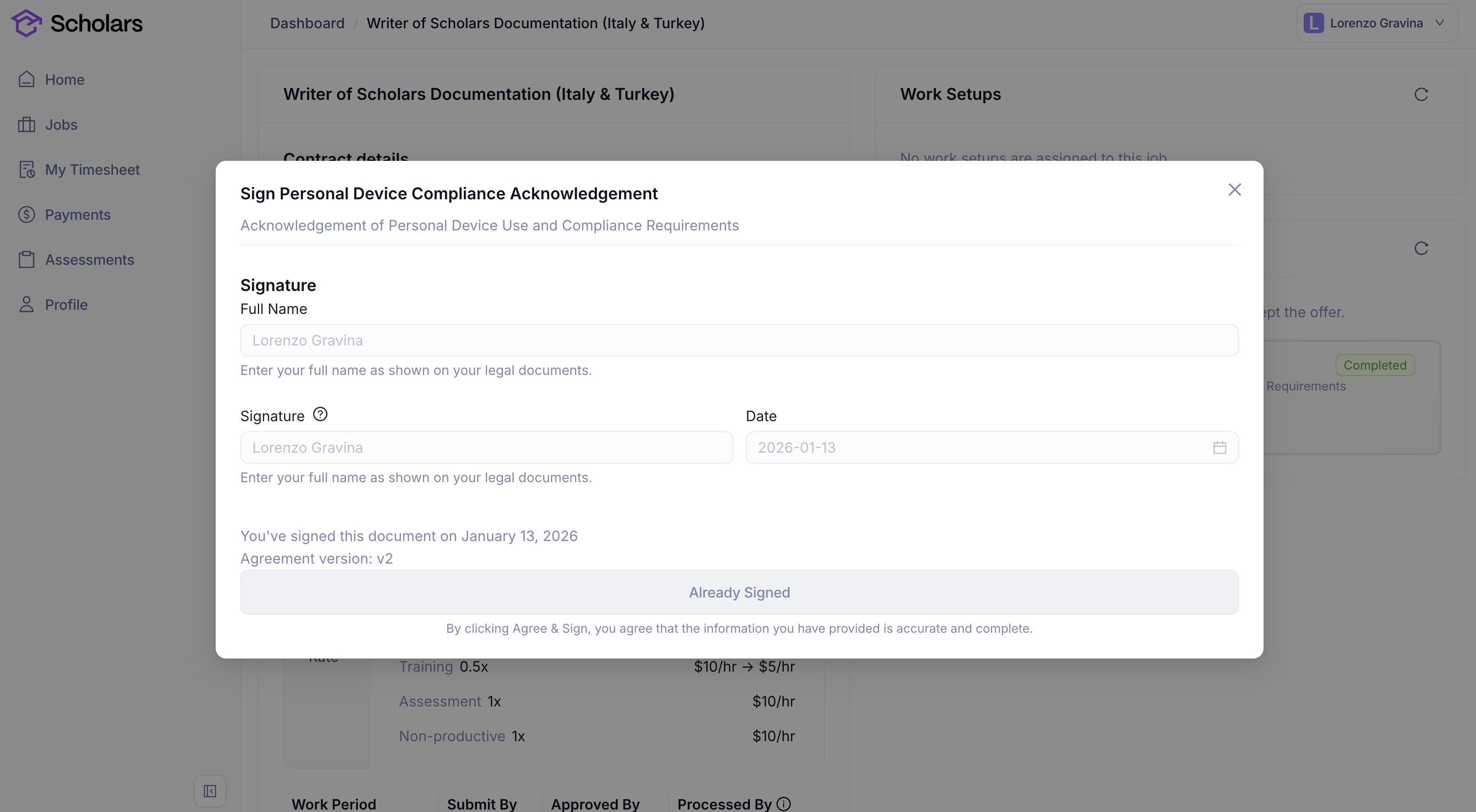
Signed legal documents open in a read-only view that shows the name and signature you provided, the signing date, and the agreement version. Work Authorization opens as the read-only record retained for that contract. You can also reopen Trolley or Deel setup requirements when you need to review or update information with the payment provider.
A signed compliance document keeps the recorded name, signature date, and agreement version available from the contract.
## Types of compliance requirements
### Signing legal documents
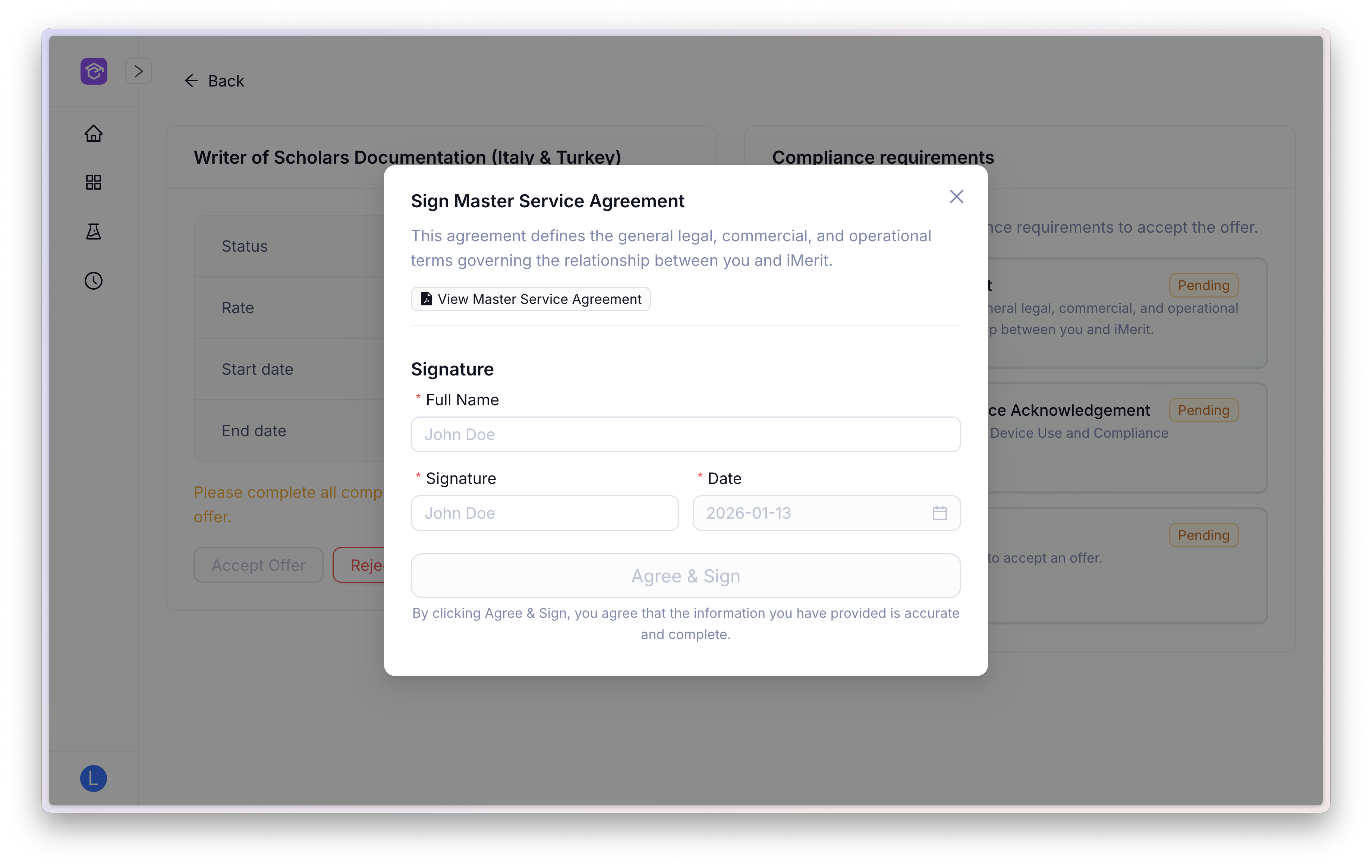
You may be asked to read and sign legal documents as part of compliance requirements for a job on Scholars.
To do so, click on the "View \[document name]" button to see and read the document PDF. Then, enter your full name as shown on your legal documents and add your signature. Ultimately, click on *Agree & Sign* to sign the document.
Some requirements also ask you to upload a file. Others need the team's approval after you sign, even when no upload is required. In that case, you will see *Submitted, pending approval*. Wait for the team to review your submission before continuing with offer acceptance. The requirement is satisfied once you have completed the requested steps and any required approval is complete.
If an uploaded file is rejected, Scholars will show the rejection reason when one was provided and let you upload the file again.
{% hint style="warning" %}
This is a legally binding signature. Please ensure you have read the document in question in its entirety before agreeing and signing.
{% endhint %}
### Filling in work authorization details
Some jobs may ask you to fill in work authorization details before you can accept the offer.
Completing Work Authorization updates the country of work on your profile. If you need to change it later, go to *Profile* > *Work Authorization* and complete the form again. For legal reasons, you cannot change your country of work directly in your personal details.
{% embed url="" %}
### Adding payout and tax information
If you don't have payout and tax information set up in your profile, this requirement will appear as *Pending.*
The Trolley onboarding dialog starts with ID verification, then asks for payment and tax information. After you complete one part and return to the dialog, Scholars refreshes the requirement status so you can see what is still pending.
If Trolley reports that a payment, tax, or identity verification step needs attention, Scholars can show the reason in the requirement status. Follow the message shown in Scholars or contact support if you are unsure what to correct.
To add a payout method and tax information:
{% stepper %}
{% step %}
Click on the compliance requirement on the right in the offer you received. This dialog will appear:
{% endstep %}
{% step %}
Click on *Add Payout Method*.
{% endstep %}
{% step %}
Enter your personal information, then click on *Next* at the bottom of the form.
{% endstep %}
{% step %}
Enter your banking information as shown, then click on *Add* at the bottom of the form to add your payout method.
You will receive your payments at the banking coordinates you specify here.
{% endstep %}
{% step %}
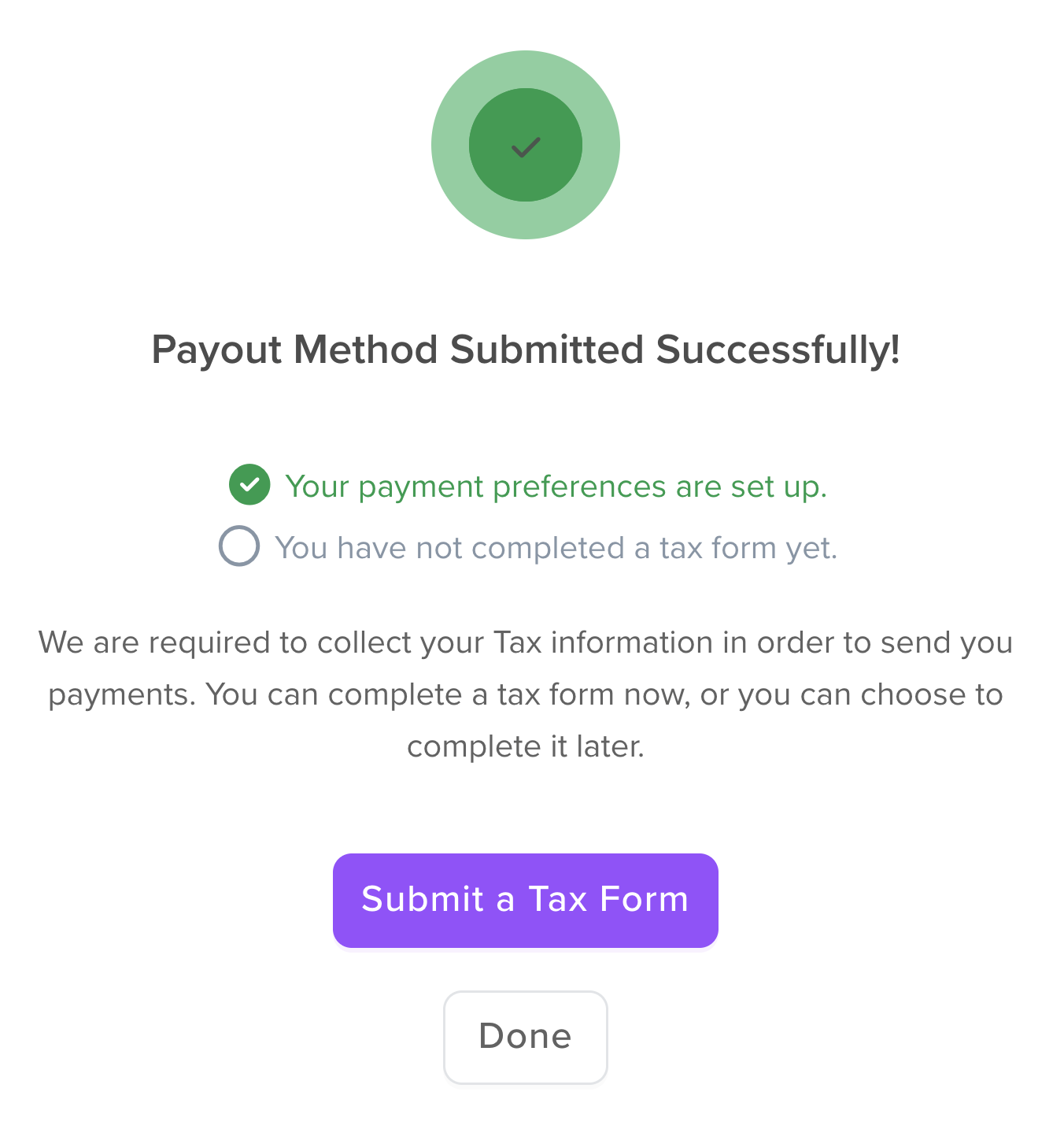
Click on *Submit a Tax Form.*
{% endstep %}
{% step %}
Follow the prompts on screen to submit your tax information.
If your tax form requires review, Scholars will email you when it is approved. Use the link in that email to return to your offers and continue accepting the offer.
For more about what happens after you submit a W9 or W8-BEN, see [Taxes](/info/taxes.md#what-happens-after-i-submit-my-tax-form).
{% endstep %}
{% endstepper %}