> For the complete documentation index, see [llms.txt](https://docs.scholars.net/llms.txt). Markdown versions of documentation pages are available by appending `.md` to page URLs; this page is available as [Markdown](https://docs.scholars.net/how-to/verify-your-identity.md).
# Verify your identity
Learn how to get verified and become eligible to be selected for more projects.
By verifying your identity, you will be able to apply to and be selected for a larger number of projects. For most projects, in fact, identity verification is a requirement.
## What's identity verification?
For legal and fiscal reasons, we need to know who you are and the country/state you live in. We do so by asking you to take a picture or short video of your ID and of yourself.
This process only takes a few minutes and can be done using your smartphone.
## How to get verified
### During the initial onboarding
If you are signing up, and you haven't skipped the [onboarding form](/info/onboarding.md), at the end of it we'll prompt you to get verified, like so:
You can start the verification process by clicking on "Continue to verification" and following the prompts on screen.
### After having signed up
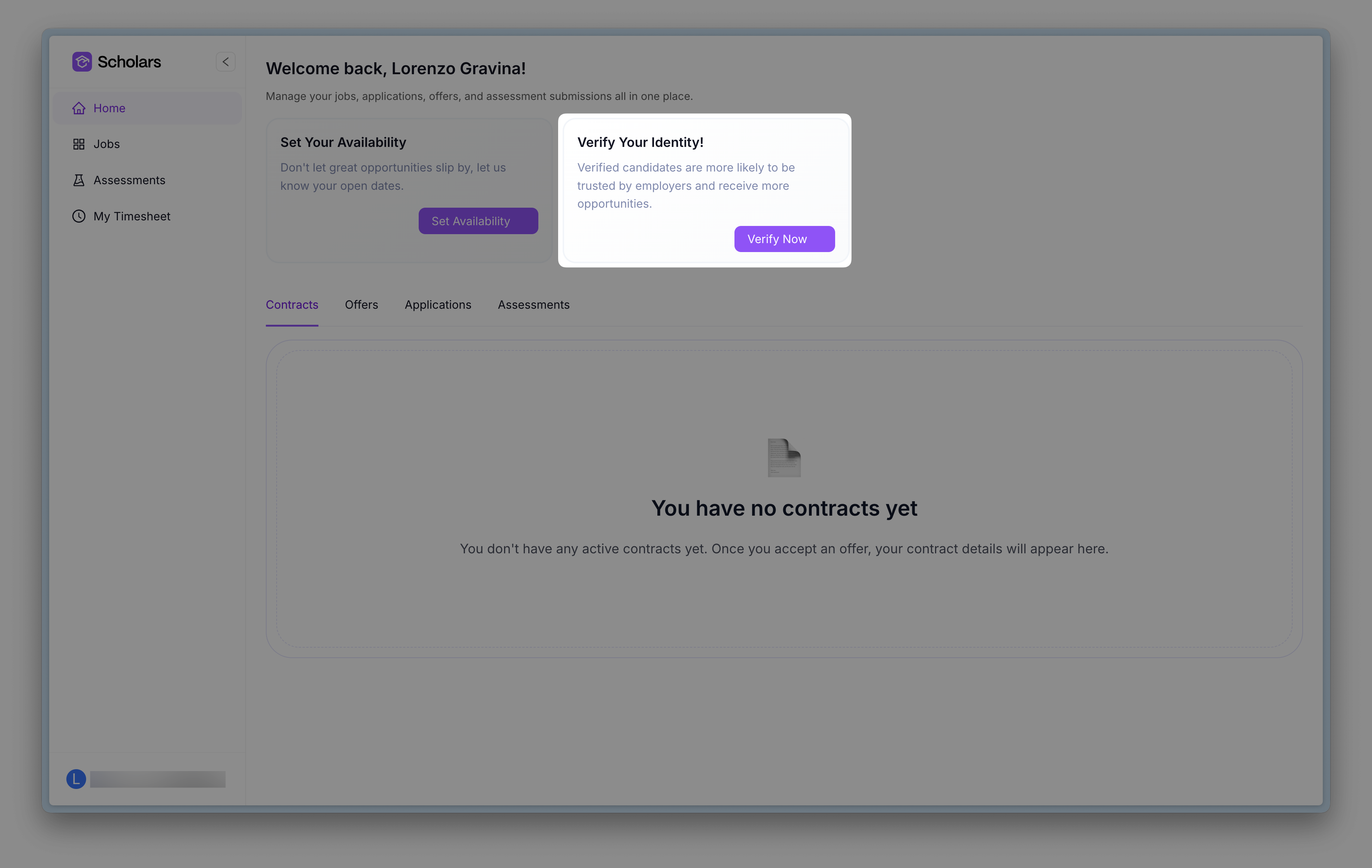
If you skipped the onboarding when you were signing up, or if you skipped the identity verification step during the onboarding, you can verify yourself later by clicking on this reminder:
Then, follow the prompts on screen to get verified. Once you are verified, the reminder disappears.
### If your verification expires
Your dashboard shows *Your Identity Verification Has Expired* under *Important Actions*. Click *Retry Verification* to open *Payouts & Verification*, then choose *Verify identity* and follow the prompts to try again.
## Frequently asked questions
Do I need to get my identity verified to work in projects?
Technically, no. Practically, virtually all projects require identity verification.
What if I fail identity verification?
Go to [Payouts & Verification](https://app.scholars.net/talent/profile?tab=payment-tax), choose *Verify identity*, and try again. You can retry up to three times when your verification has failed or expired.
If you cannot retry, email . Include your full name and the personal email address you use for Scholars.
What if I lost my driver's license or it expired?
Use another accepted government-issued ID shown in the verification flow. Go to [Payouts & Verification](https://app.scholars.net/talent/profile?tab=payment-tax), choose *Verify identity*, and follow the prompts to start a new attempt.
How long does identity verification stay pending?
Allow up to two days for the status to update. If it has not changed after two days, email . Include your full name and the personal email address you use for Scholars.
What document can I use as my ID?
This will be outlined to you as you start verification. Usually, a government-issued document suffices, but details may vary in time and by region.
Are identity verification and background check the same thing?
No. In the identity verification step, we only check your identity and basic information such as your country of residence.
The background check is a more throrough process where Scholars, aided by third parties, checks for potential past criminal activity.
---
# Agent Instructions
This documentation is published with GitBook. GitBook is the documentation platform designed so that both humans and AI agents can read, navigate, and reason over technical content effectively. Learn more at gitbook.com.
## Querying This Documentation
If you need additional information that is not directly available in this page, you can query the documentation by asking a question.
Perform an HTTP GET request on the following URL with the `ask` and `goal` query parameters:
```
GET https://docs.scholars.net/how-to/verify-your-identity.md?ask=&goal=
```
`ask` is the immediate question: it should be specific, self-contained, and written in natural language.
`goal` is what the user is ultimately trying to achieve, the reason they need the answer. Sharing it helps GitBook give you a better, more relevant answer. A goal is most helpful when it describes the outcome the user wants rather than restating the question. For example, with `ask=how do I create an API token`, a goal like `automate deployments from our CI pipeline` lets GitBook tailor the answer to that use case.
The response will contain a direct answer to the question and relevant excerpts and sources from the documentation.
Use this mechanism when the answer is not explicitly present in the current page, you need clarification or additional context, or you want to retrieve related documentation sections.