> For the complete documentation index, see [llms.txt](https://docs.scholars.net/llms.txt). Markdown versions of documentation pages are available by appending `.md` to page URLs; this page is available as [Markdown](https://docs.scholars.net/how-to/send-a-timesheet.md).
# Send a timesheet
When you are done logging work for the week, you must send your timesheet for review before you can be paid for that work.
## How do I send my timesheet?
{% stepper %}
{% step %}
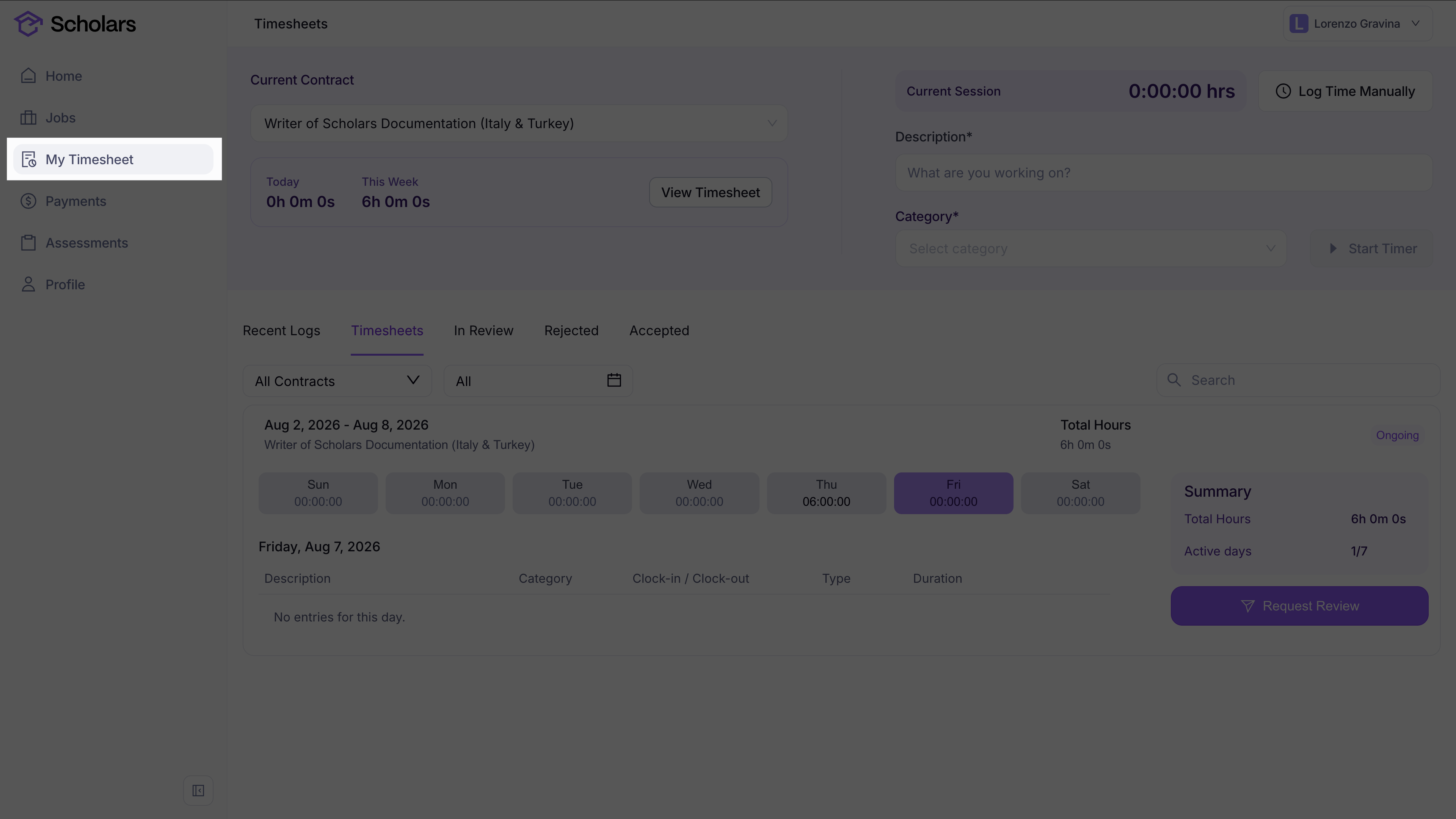
### Go to My Timesheet
Open the *My Timesheet* page from the left-hand menu.
{% endstep %}
{% step %}
### Review the week's entries
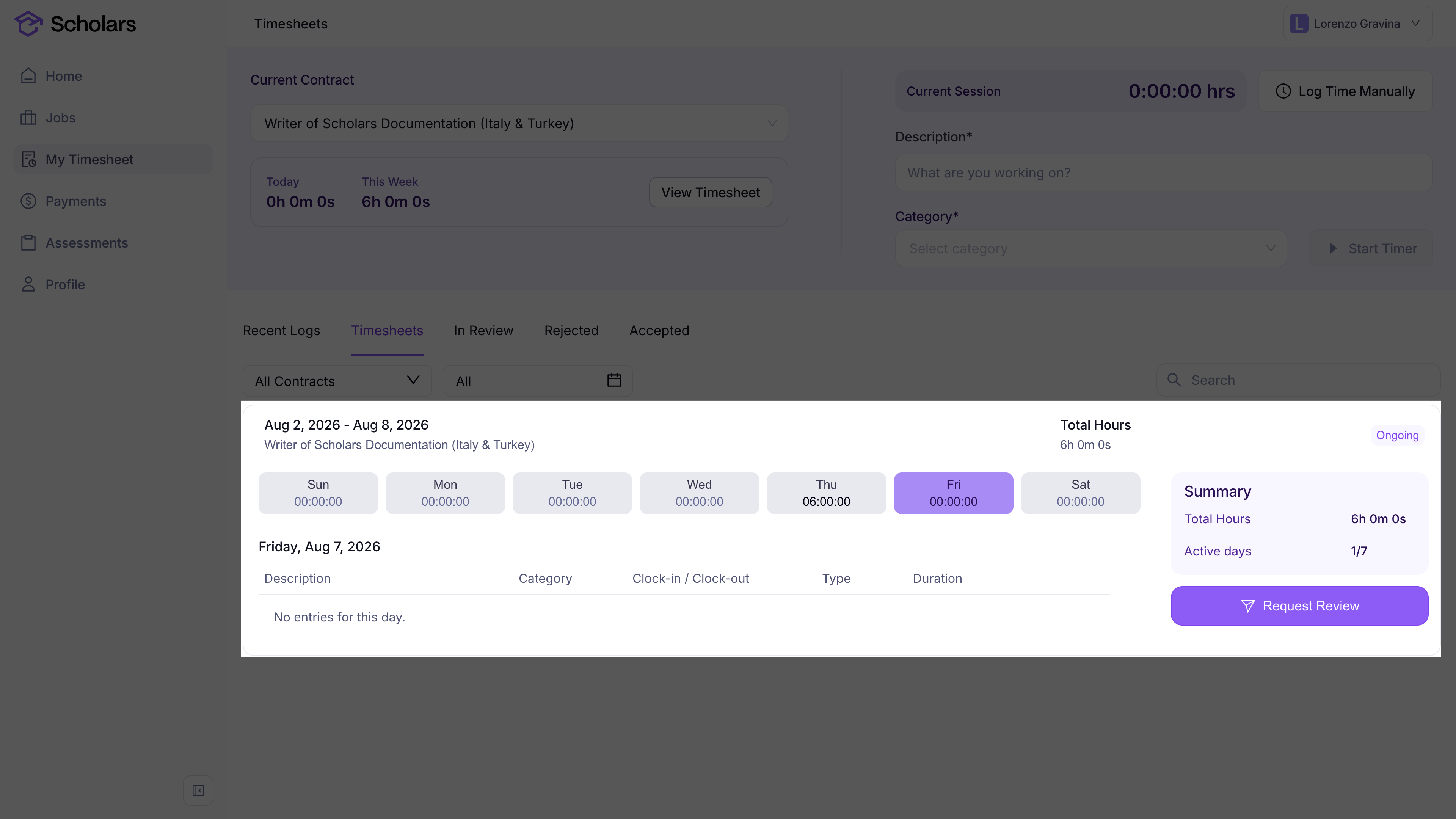
Make sure the time or units you logged for the week are correct. If something is missing or incorrect, update it before submitting. For unit-based jobs, this includes checking the completed unit count on each unit entry.
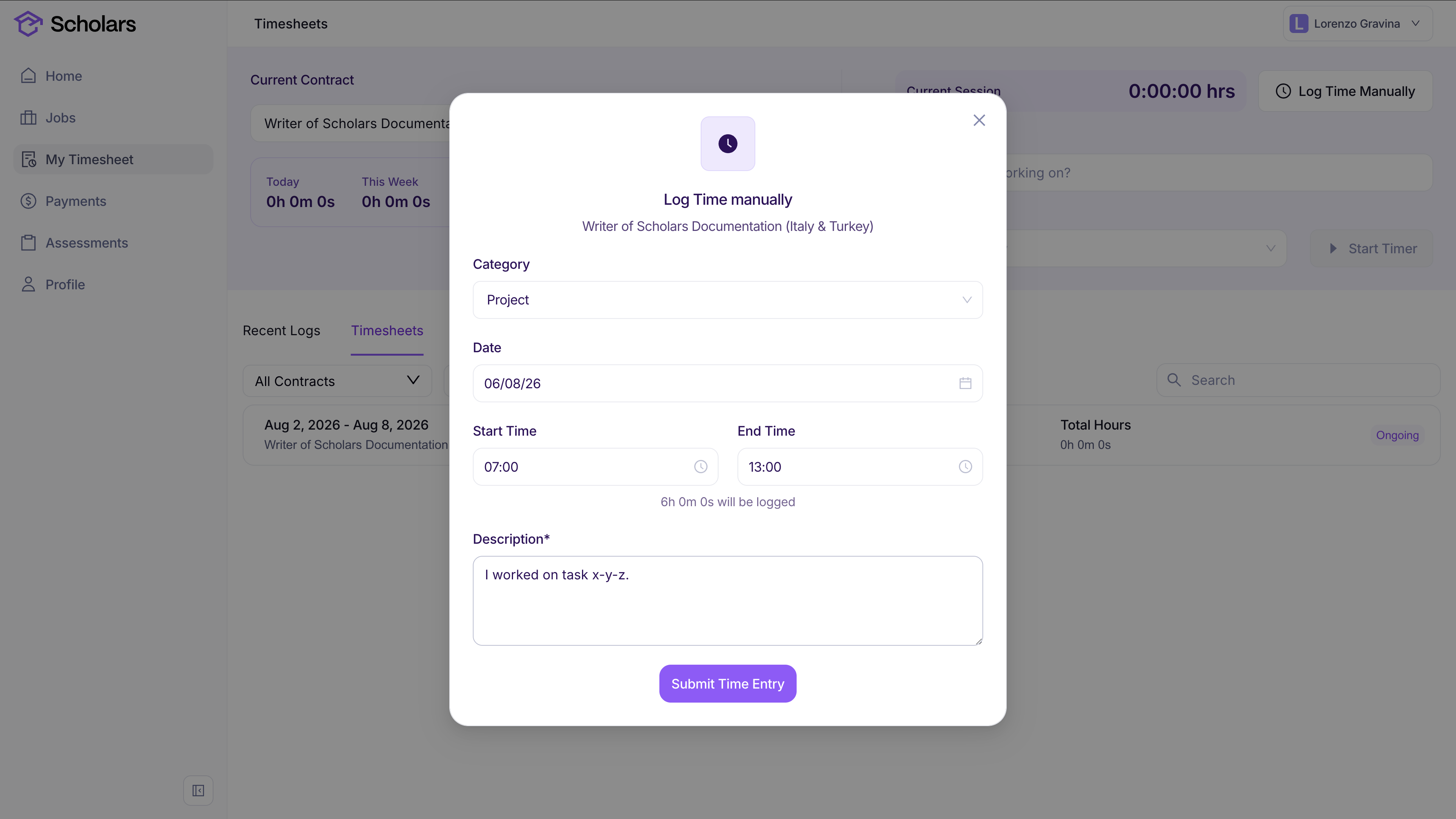
If an hourly entry is missing, click *Log Time Manually*. Select the category and date, enter the start and end times, describe the work you completed, and click *Submit Time Entry*.
Each entry has a category, such as project work, training, assessment, non-productive time, or downtime. The categories available to you depend on the job.
Timesheet days are based on your browser timezone when it is available, so review the date shown for each entry before requesting review.
Select each day in the weekly timesheet to review its entries. The summary on the right shows the week's total hours or units and number of active days.
{% endstep %}
{% step %}
### Submit the timesheet for review
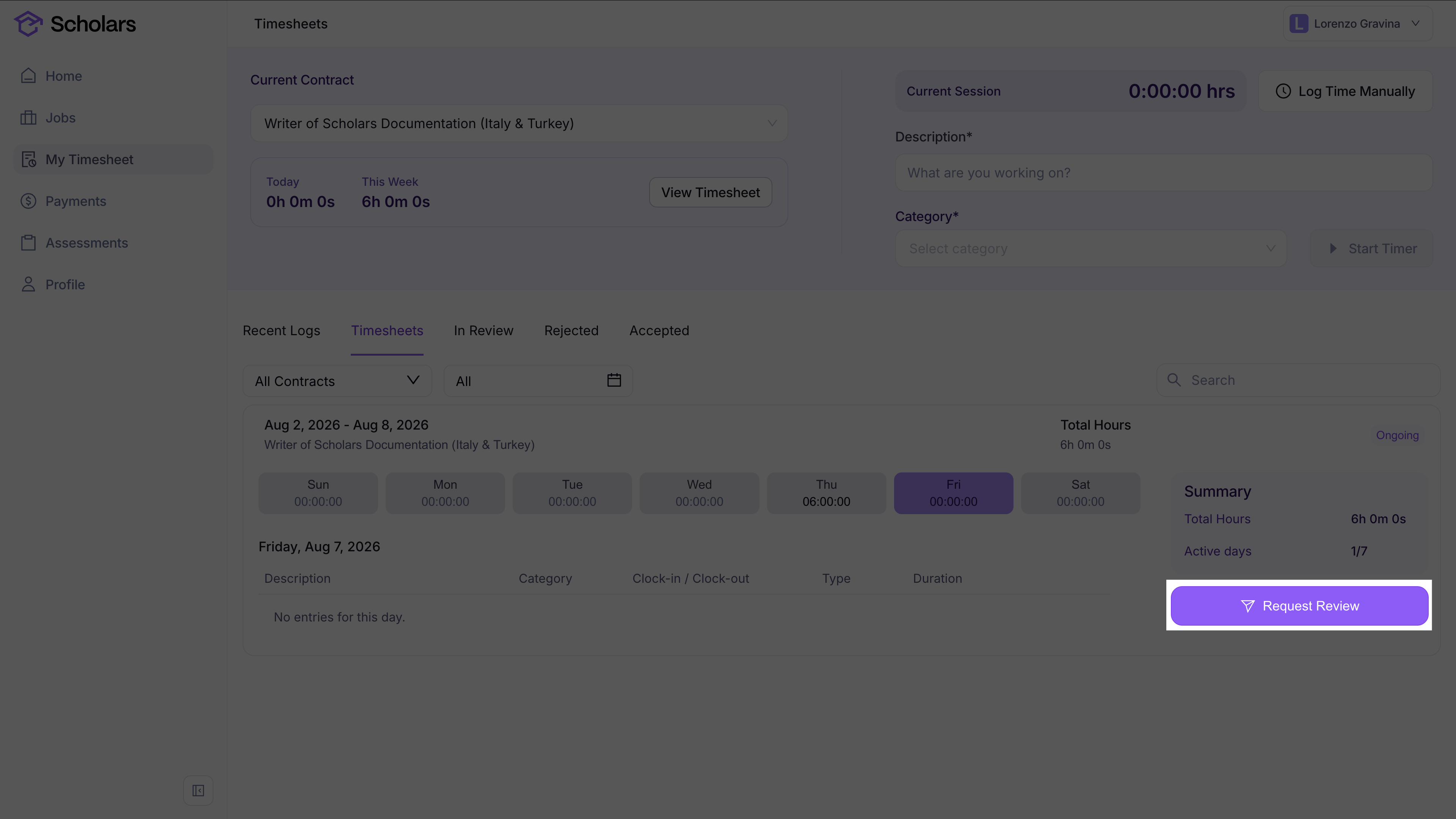
Click *Request Review* to send the timesheet to the Scholars team.
{% endstep %}
{% endstepper %}
## Can I submit after my contract ends?
You have seven days after your contract ends to add missing manual time or unit entries and submit draft or rejected timesheets. Select the ended contract on *My Timesheet*, check your entries, and click *Request Review*. Use work dates between the contract start and end dates. You cannot start a new timer after the contract ends.
This window does not apply if your contract was terminated.
## What happens after I send it?
A member of the Scholars team reviews your timesheet.
If your timesheet is approved, you will receive an email letting you know that it was approved. If your timesheet is rejected, you will receive an email with the rejection reason and a link back to your timesheet so you can update it and submit it again.
Timesheet emails open *My Timesheet* on the relevant tab when possible, such as *Accepted* for approved timesheets or *Rejected* for rejected timesheets.
Rejected timesheets also appear in the *Rejected* tab on *My Timesheet*. The rejected timesheet shows the rejection note and who rejected it, so you can make the right changes before requesting review again.
If you have an active contract and your weekly timesheet has not been submitted yet, Scholars may email you on the final day of the weekly timesheet period.